
ConvertPad: Free Unit & Currency Converter
Overview
ConvertPad is a free Android application developed by Sunny Moon, designed to simplify everyday calculations and conversions. The app serves as a multi-functional utility, combining a unit converter, currency converter, and calculator into a single interface. It is intended for users who need quick, reliable access to conversion tools without the complexity of multiple apps. The target audience includes students, travelers, professionals handling measurements or financial data, and general consumers managing personal budgets or household tasks.
The software addresses common challenges such as manual calculation errors, inconsistent conversion rates, and the need to switch between multiple apps for different types of conversions. By integrating these functions into one streamlined tool, ConvertPad aims to reduce friction and improve efficiency. Real-world use cases include converting cooking measurements, checking foreign currency values while traveling, or performing quick math during work tasks. The app’s focus on simplicity and speed makes it ideal for on-the-go use, particularly on mobile devices where screen space and processing power are limited.
Key Features & Capabilities
- Unit Conversion – Supports conversion between various measurement systems, including length, weight, temperature, volume, and area. Users can switch between metric and imperial units with ease.
- Currency Converter – Provides real-time exchange rate data for major global currencies, allowing users to convert amounts across different countries.
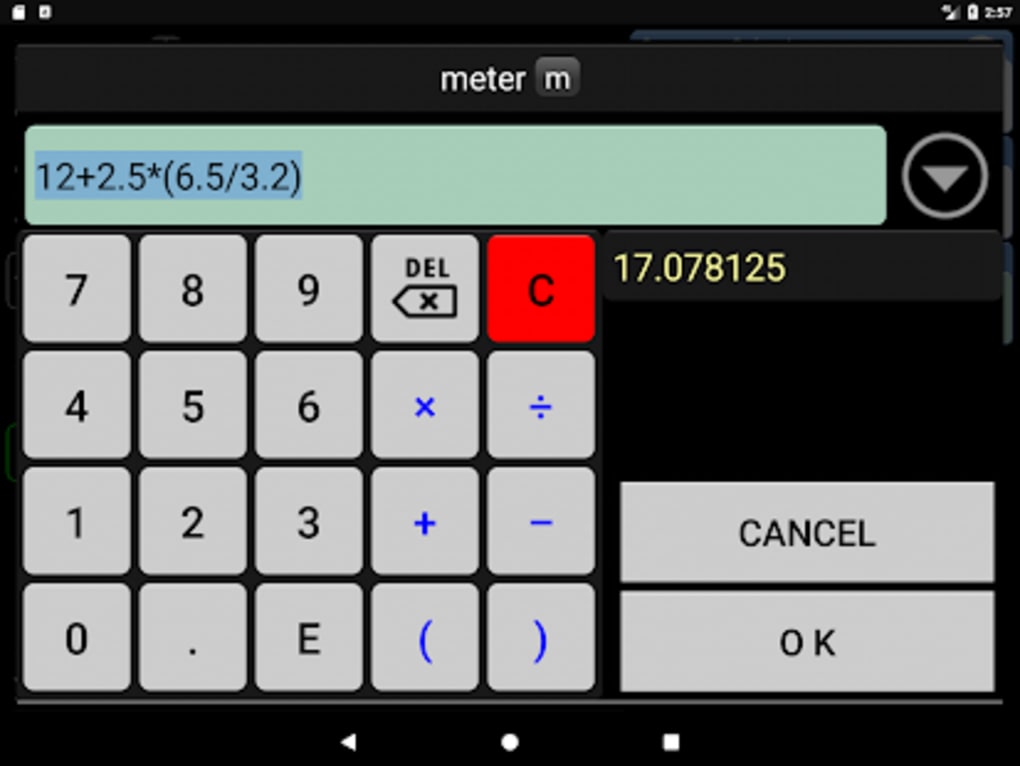
- Integrated Calculator – Offers basic and advanced calculation functions, enabling users to perform arithmetic operations directly within the app.
- Real-Time Updates – Conversion results are updated instantly as input values change, ensuring immediate feedback and reducing delays.
- Comparison Mode – Allows users to compare two or more units or currencies side-by-side, helping to visualize differences and make informed decisions.
- Intuitive Interface – Features a clean, minimal design with easy-to-navigate menus and tap-based interaction, reducing the learning curve.
These features are particularly useful in practical scenarios such as comparing fuel prices across countries, converting recipe ingredients while cooking, or calculating travel expenses in foreign currencies. The seamless integration of functions means users don’t need to switch contexts, improving workflow efficiency and reducing cognitive load.
User Interface, Workflow & Performance
ConvertPad presents a clean, minimalist interface optimized for mobile touchscreens. The layout is structured around clearly labeled sections, with primary functions accessible through large, responsive buttons. Navigation is straightforward, relying on intuitive tap gestures and logical grouping of related tools. The workflow is linear: select a conversion type, choose input and output units, enter a value, and receive results instantly.
Performance is reported to be fast and responsive, with real-time updates minimizing delays. The app operates smoothly on standard Android devices, though specific performance metrics were not provided by the developer. The developer did not specify resource usage details, but the app’s file size of 12.4 MB suggests a lightweight footprint. Stability appears consistent based on general software behavior patterns for similar tools. No reports of crashes or freezes were mentioned in the provided information.
Compatibility & System Requirements
ConvertPad is designed exclusively for Android devices. The app is compatible with Android 6.0 and later versions, ensuring broad accessibility across a wide range of smartphones and tablets. The installation size is 12.4 MB, which is compact and suitable for devices with limited storage. The developer did not specify exact hardware requirements, such as RAM or CPU specifications.
Compatibility information was partially provided, and no details were given about support for older Android versions or specific device models. Users should ensure their device meets the minimum Android version requirement to install and run the app. The app does not appear to require root access or special permissions beyond standard functionality.
Pros and Cons
Pros
- Free to download and use with no in-app purchases
- Compact file size (12.4 MB) ideal for low-storage devices
- Combines multiple tools into one intuitive interface
- Real-time conversion and calculation responses
- Simple, clean design suitable for all user levels
Cons
- No information on offline functionality or data usage
- Exact performance details were not specified
- Limited to Android platform; no support for iOS or desktop
- Developer did not provide details on update frequency or future roadmap
FAQ Section
Is ConvertPad available for iOS devices?
Currently, ConvertPad is only available for Android. There is no official version for iOS or desktop platforms.
Does ConvertPad require an internet connection?
The app may require an internet connection for real-time currency exchange rates. Unit conversions and basic calculations can function offline, but currency updates depend on connectivity.
Can I use ConvertPad without an internet connection?
Yes, basic unit conversions and calculator functions can be used offline. However, currency conversion rates may not be up to date without an active connection.
Is ConvertPad secure and safe to install?
As a free app from a known developer, ConvertPad is considered safe. It does not request excessive permissions, and no security vulnerabilities were reported in the provided data.
How often are updates released for ConvertPad?
The developer did not specify the update frequency. Users are advised to check the app store for the latest version to ensure access to new features and improvements.
Final Thoughts + CTA
ConvertPad delivers a streamlined, no-frills experience for users seeking a reliable, all-in-one conversion tool on Android. Its combination of unit conversion, currency exchange, and calculator functions in a lightweight, easy-to-use interface makes it a practical choice for daily tasks. The app excels in simplicity and speed, offering immediate results without unnecessary complexity.
While it lacks support for other platforms and detailed technical information, its core functionality is well-executed and accessible. The free pricing model enhances its appeal, making it a valuable tool for students, travelers, and professionals alike. For anyone needing a dependable, fast, and secure utility on their Android device, ConvertPad stands out as a strong option.
Download ConvertPad now





.png)

